- Home
- Connections
Connection management
Connections
The list of everything you administer — a folder tree of saved connections with tags, favourites, environments and full keyboard access.
SSH SFTP RDP S3 Azure Blob
What it does
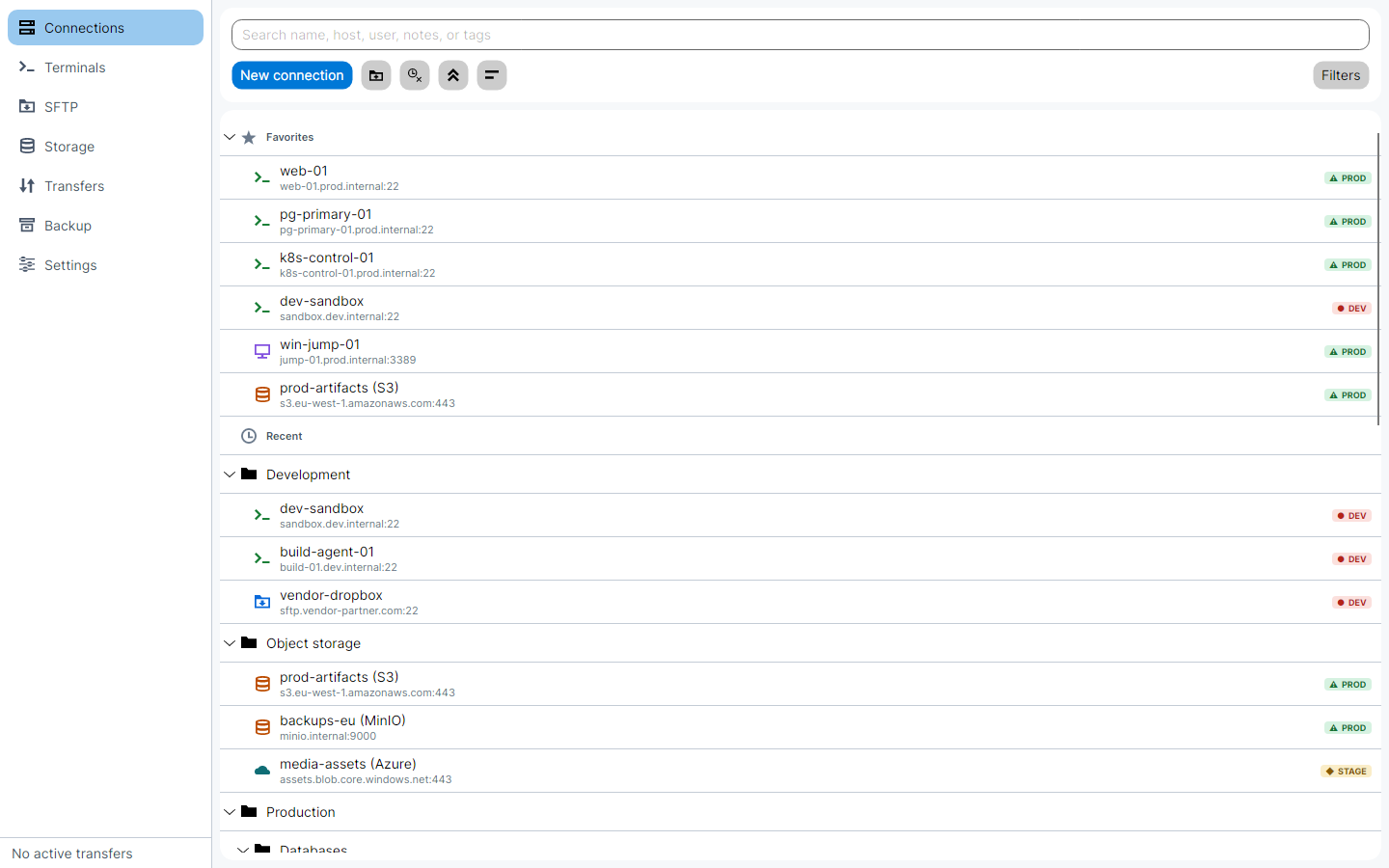
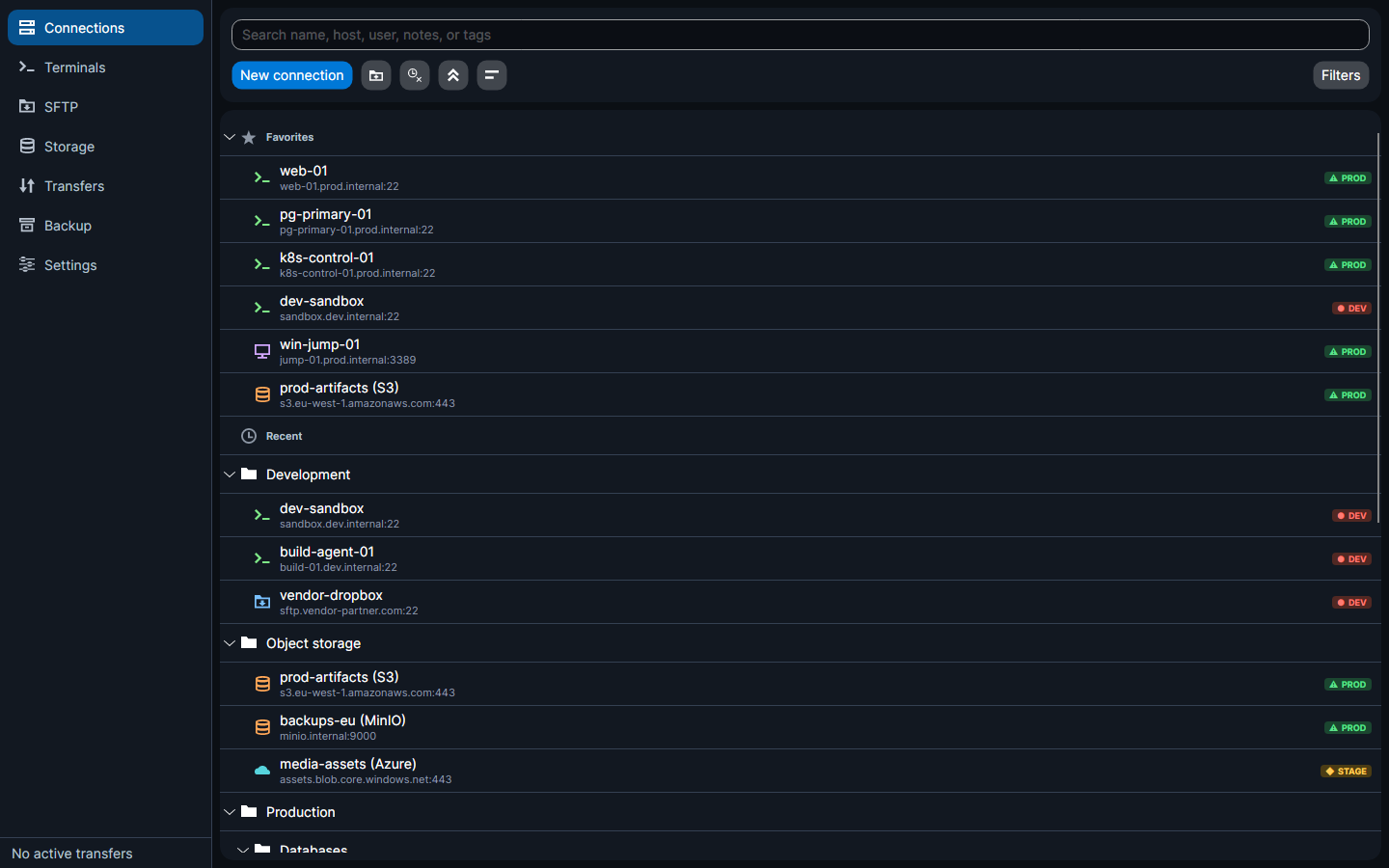
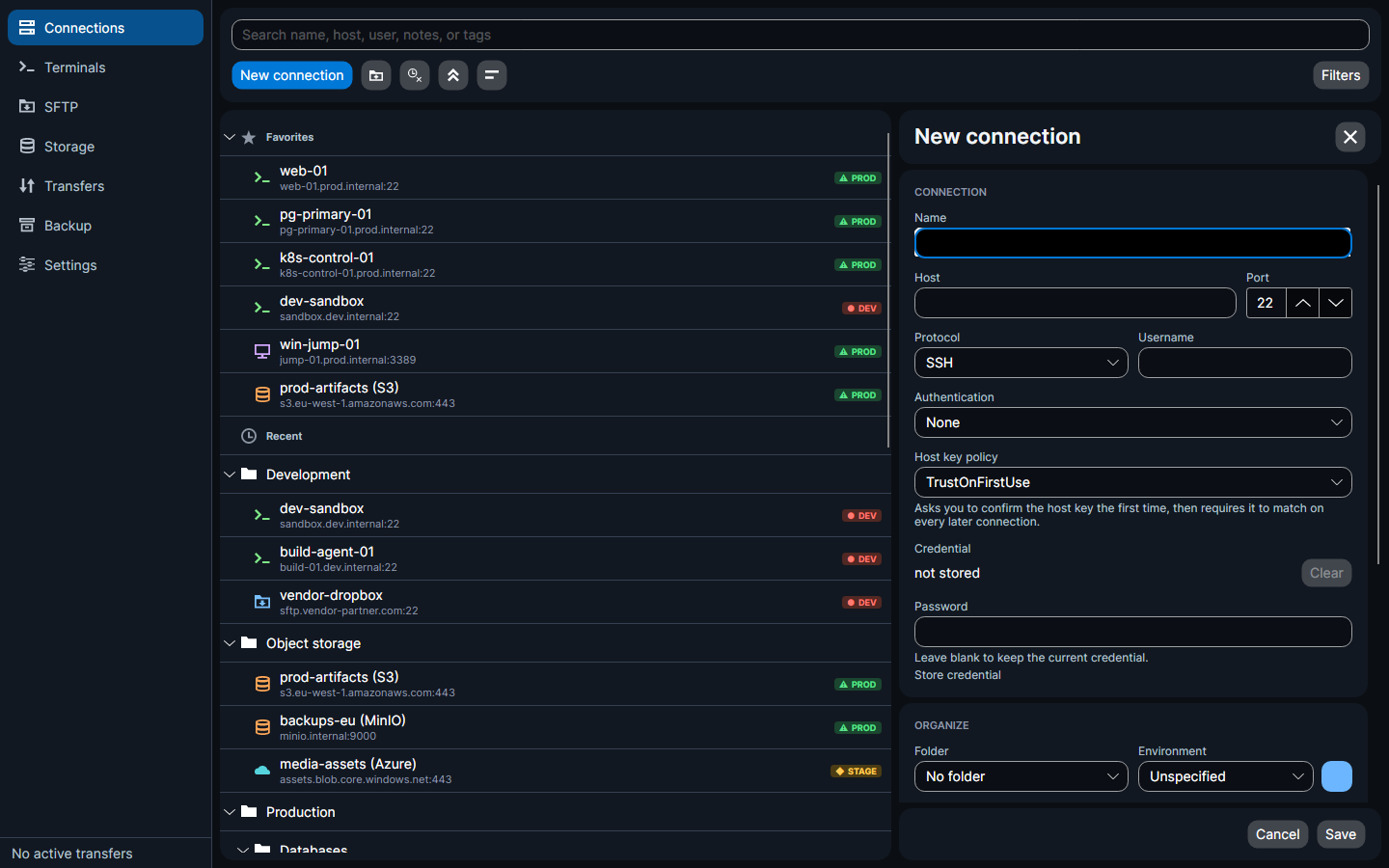
- A folder tree of saved connections
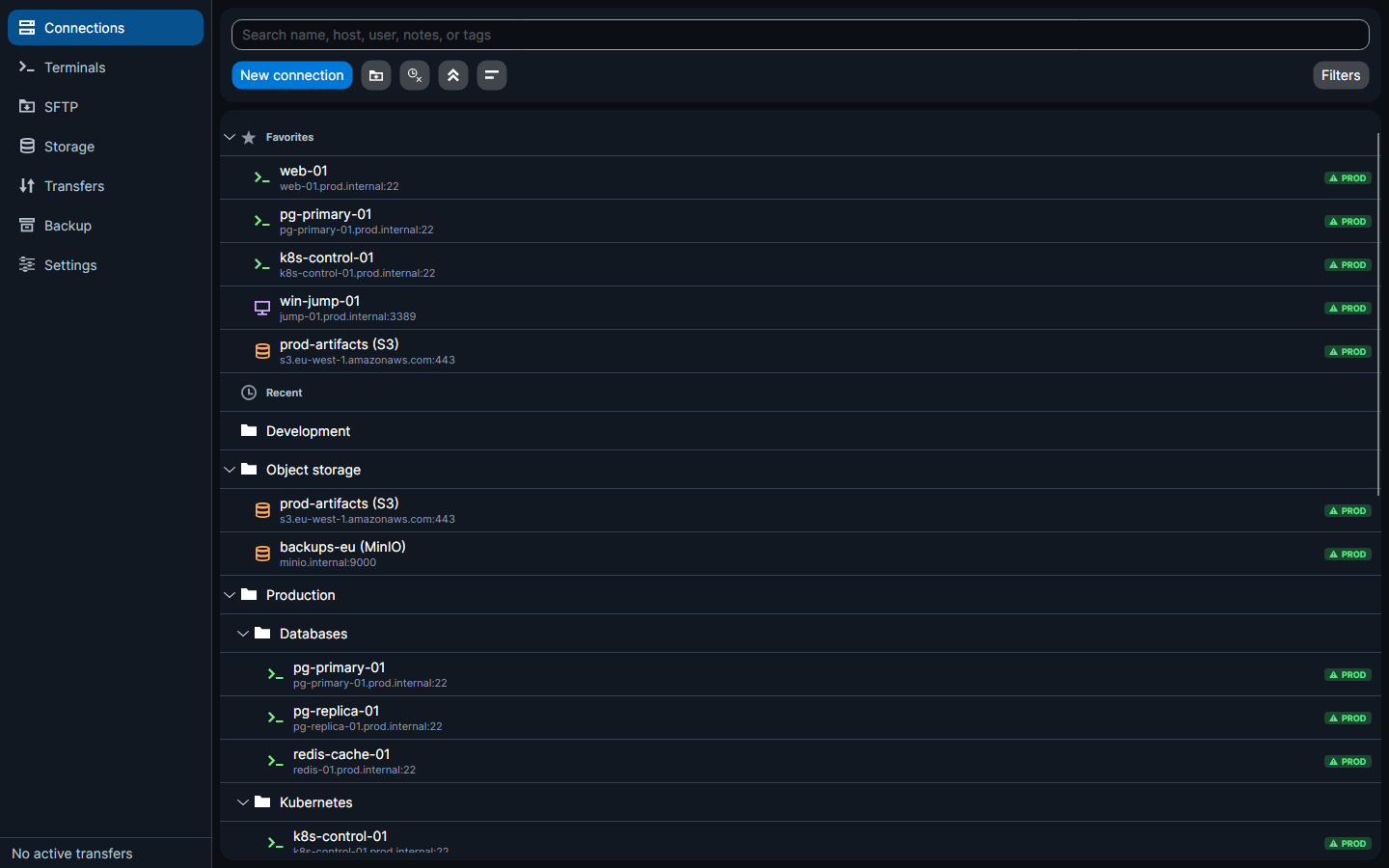
Nesting, drag-and-drop between folders, inline rename, and a remembered expand/collapse state. Two toolbar buttons collapse or expand every folder at once and drop the
host:portline from under every name — a row goes from 45px to 26px, showing about 70% more of the tree. Both choices are remembered between sessions. - Favourites and Recent
Pinned groups at the top of the tree, so the machines you touch every day are never more than a click away.
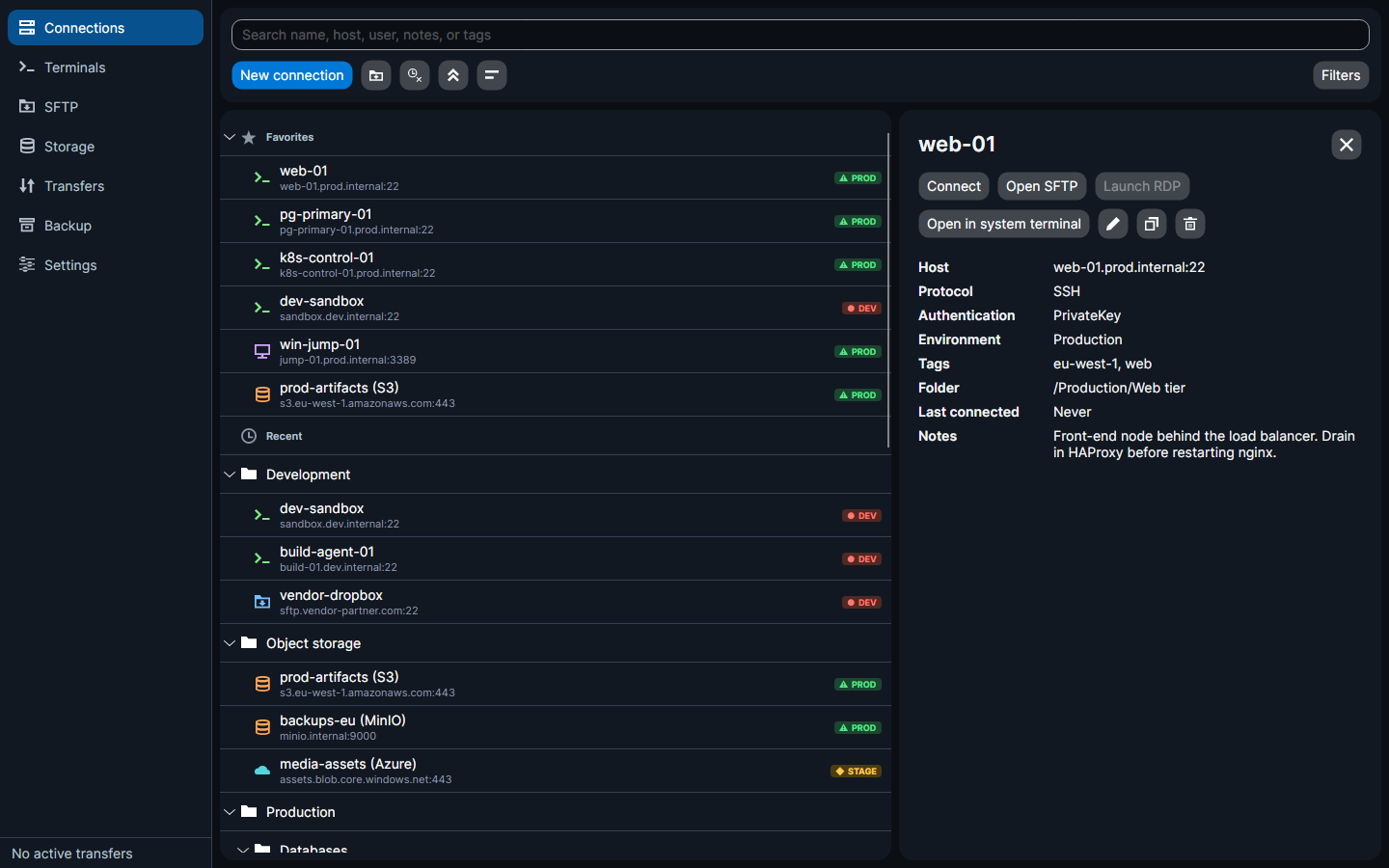
- Per-connection fields
Name, host, port, protocol, username, authentication method, notes, folder, tags, favourite, environment, and an optional colour override.
- Five protocols, five glyphs
SSH (a shell, green), SFTP (a file browser, blue), RDP (a screen, violet), S3 (a bucket, amber) and Azure Blob (a cloud, cyan). The shape carries the difference as well as the colour, and both palettes clear the contrast floor in light and dark themes.
- Environments that warn you honestly
Every connection is Development, Staging or Production, and the chip in the list writes its word in that environment's own colour. Production is green, development is red — green is the environment you are allowed to be in. The same palette drives the list chip, the swatch beside the Environment picker, and the accent on a session tab.
- Search and filters
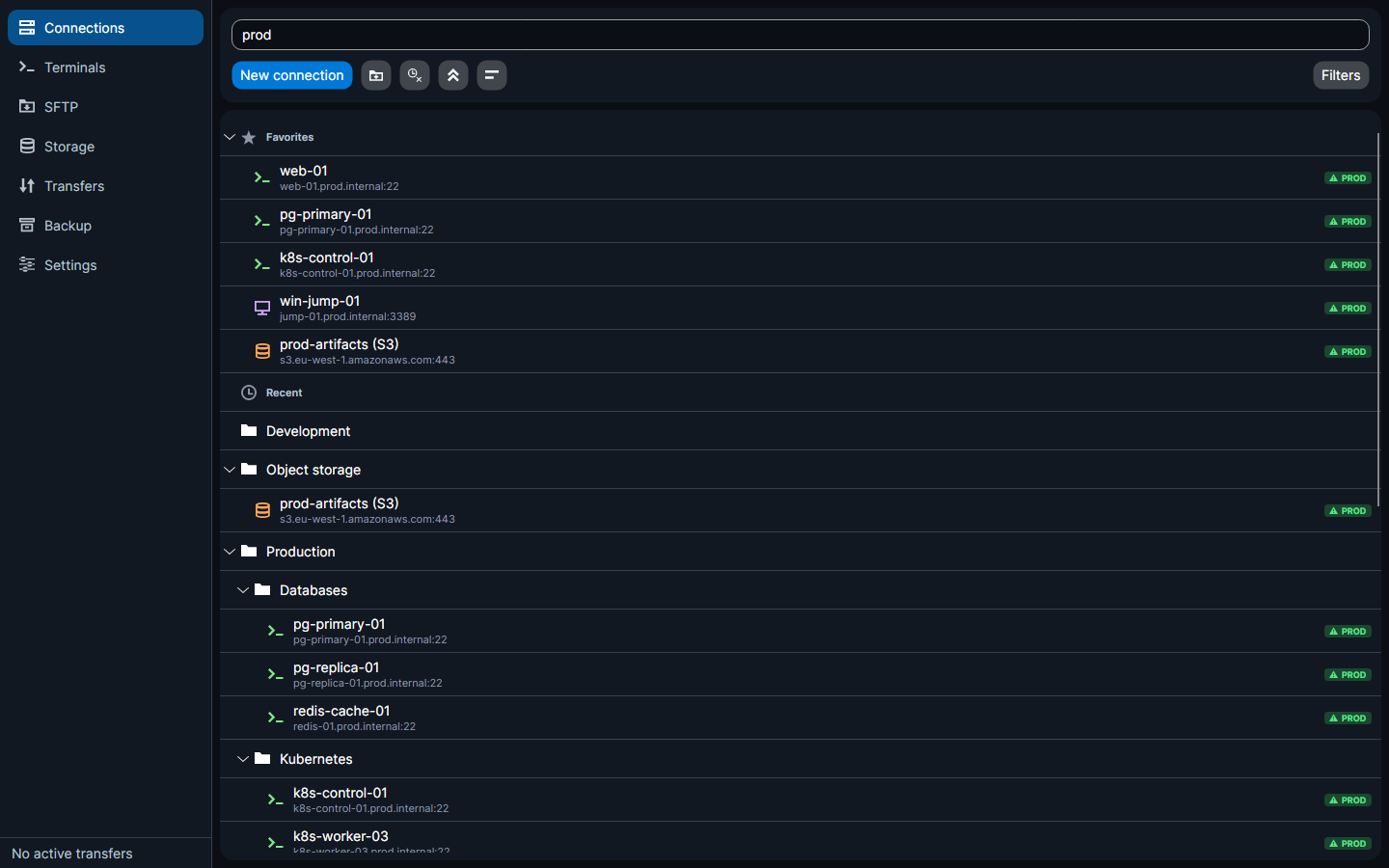
One box searches name, host, username, notes and tags. Filter chips narrow by protocol, environment or tag, with a summary of what is active and one click to clear it all.
- Full CRUD from two places
Create, edit, duplicate and delete from the details pane or the row's context menu.
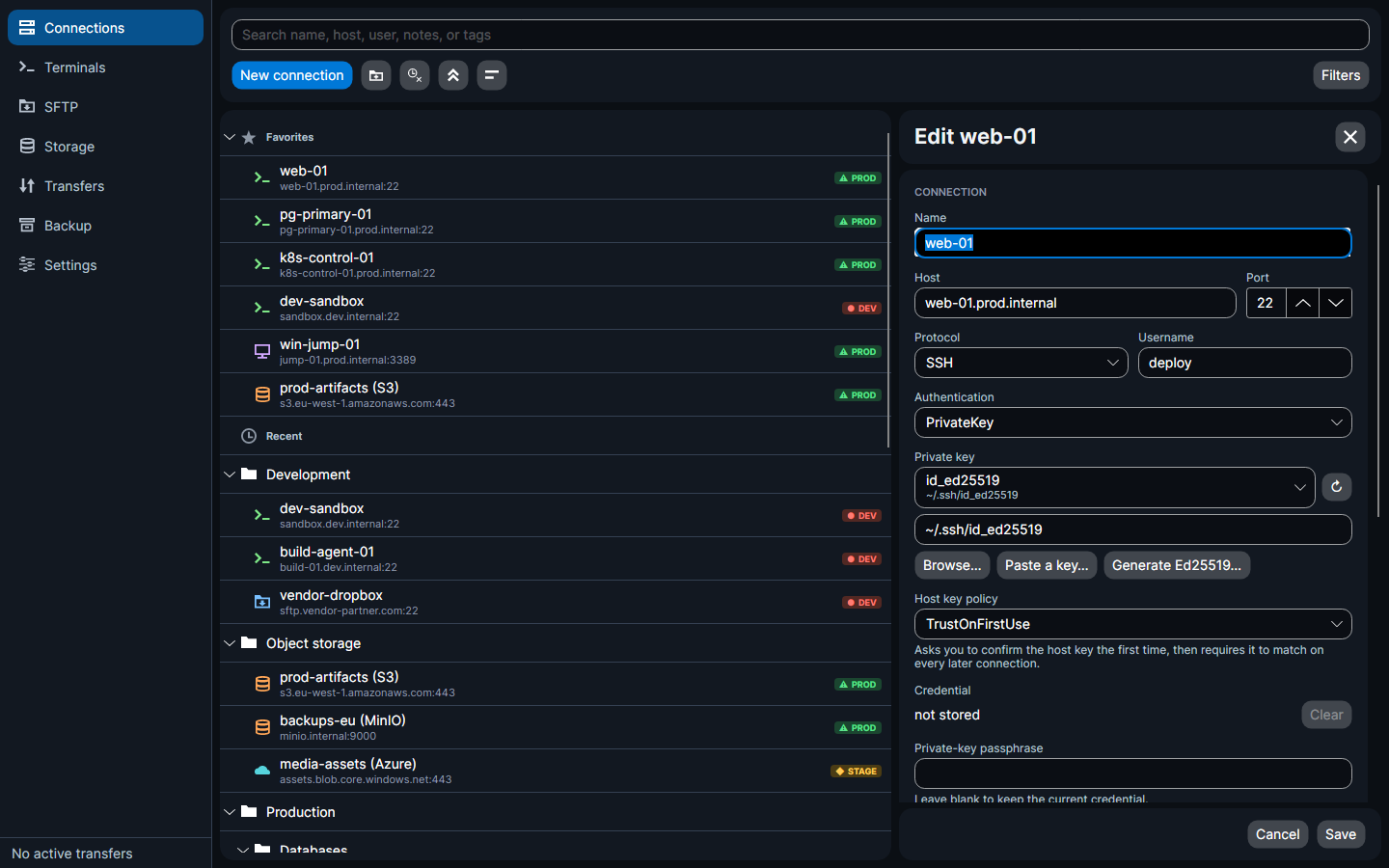
- The editor is a stack of cards, not one long form
Where the host is and how to authenticate to it; the options its protocol brings; where it files; and what you wrote about it. The heading and buttons sit on cards of their own so they stay put while the middle scrolls.
- The details pane can be closed
A close button on both the details and the editor, and Escape from either — the list then takes the whole page until you click a connection again.
- Actions per connection
Connect (a terminal tab), Open SFTP, Launch RDP, Open in system terminal, Edit, Duplicate, Delete. Actions the protocol does not support are disabled rather than hidden.
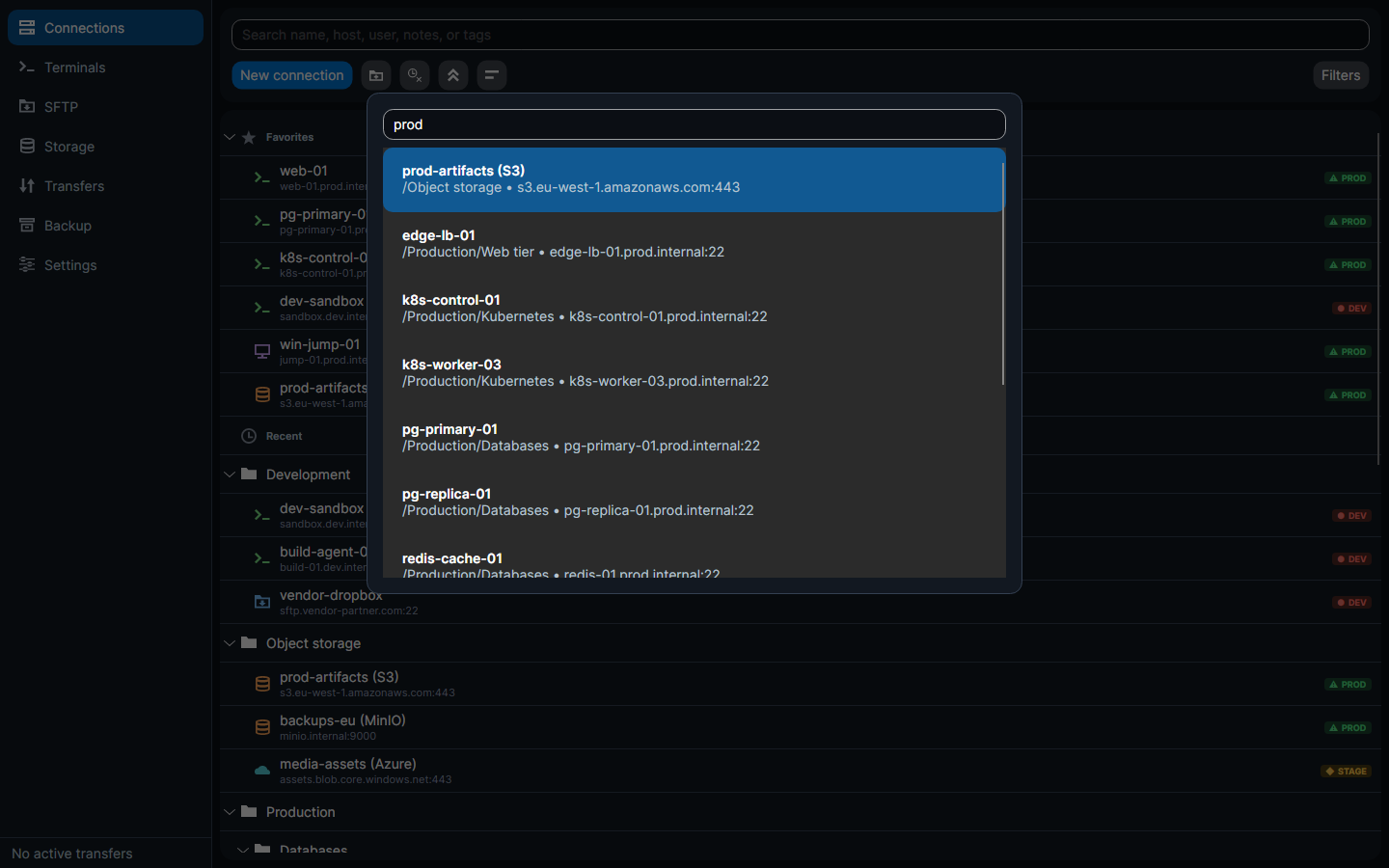
- A command palette
Ctrl+K searches every connection by name, host, folder or tag and connects without touching the tree.
Organise the fleet
Every detail at hand
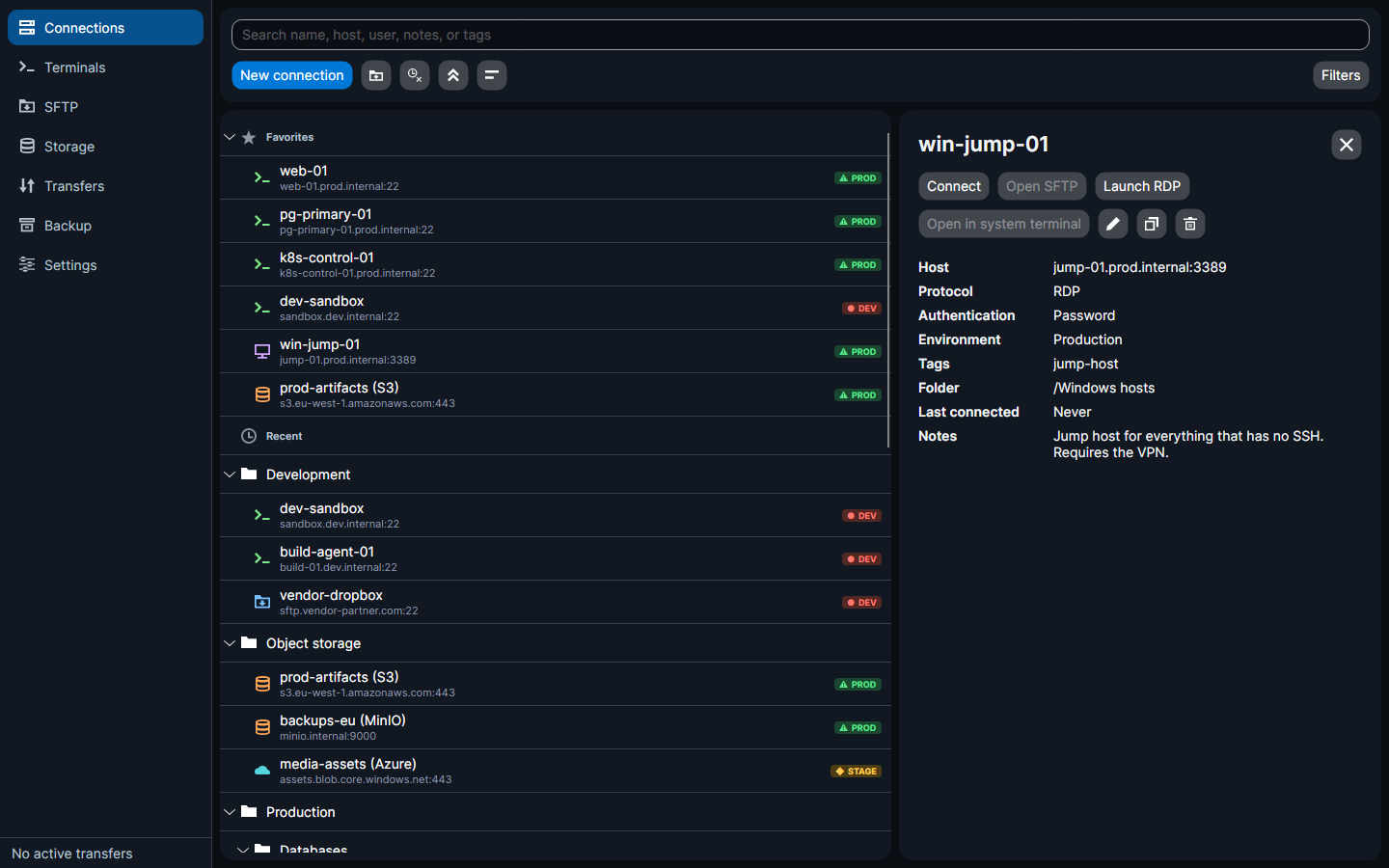
Editing without the long form
RemoteFlow also ships a complete light theme. Dark is the default, and both are held to measured contrast floors by tests.