- Home
- Security & privacy
Local-first by design
Security & privacy
This is RemoteFlow's strongest differentiator, written down plainly: what it does, what it never does, and where the honest gaps are.
No telemetry, no cloud, no accounts
There is no analytics, no crash reporting, no licence check and no sign-in. RemoteFlow opens network connections to the hosts you configure, and makes exactly one other request — the update check, and only when you turn it on. Diagnostics stay on your machine.
Cloud storage is not RemoteFlow having a cloud. An S3 or Azure connection is a host you configured. The traffic goes from your machine to your bucket: no RemoteFlow account, no broker in the middle, no storage of ours anywhere in the path.
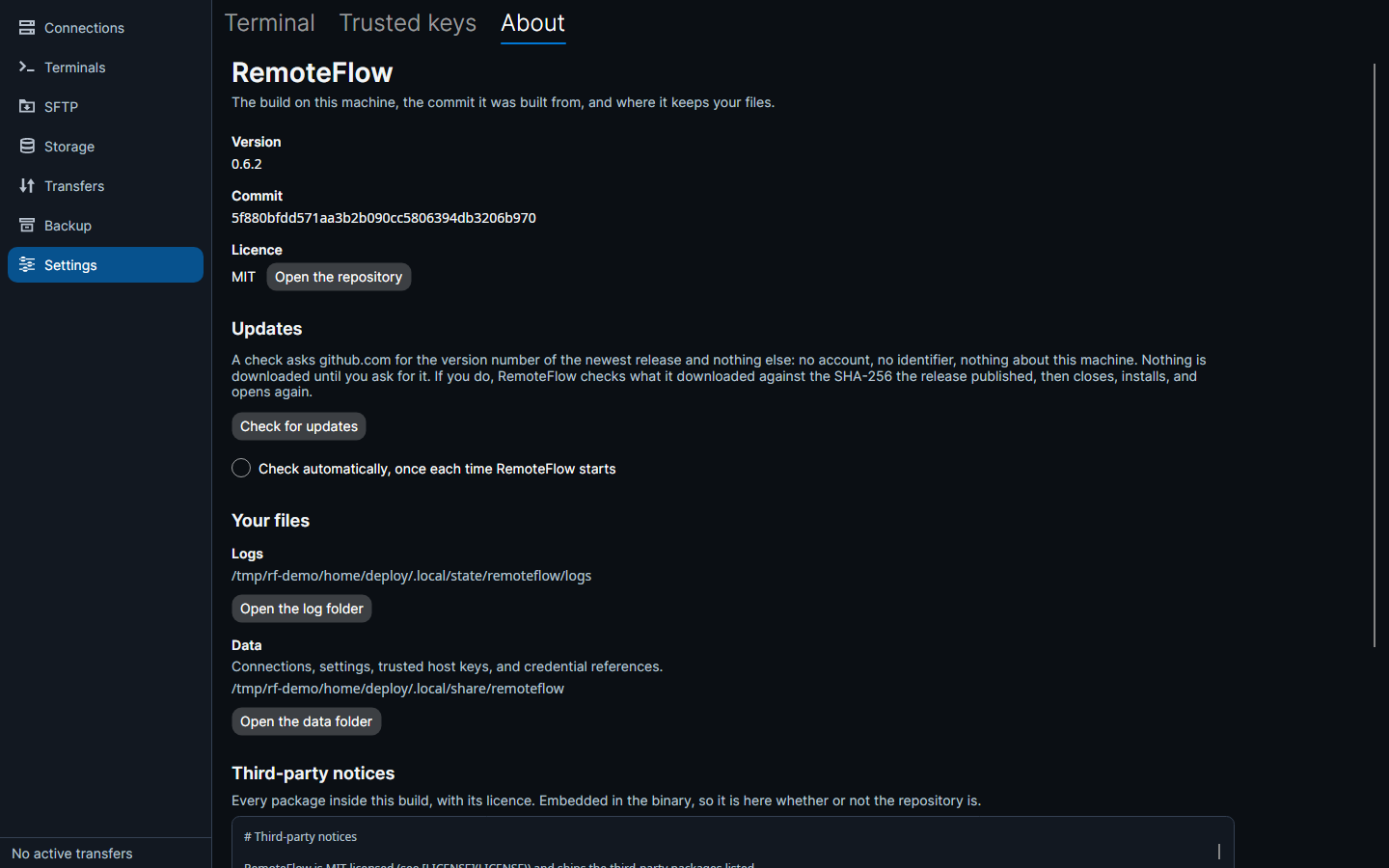
The update check, in full
- Off until you turn it on
Pressing Check for updates runs one check. Ticking Check automatically runs one more at each start-up and nothing in between — no timer, no background poll.
- What it sends
One HTTPS GET to
api.github.comfor the newest release, with aUser-AgentofRemoteFlow/<version>. No account, no licence key, no installation identifier, nothing about your machine, your connections or your use of the application. - What it does with the answer
Reads the version number, compares it, puts a sentence on screen. The check itself downloads nothing.
- Installing is a separate press
Which asks first and says what it is about to do.
How credentials are held
| Platform | Store |
|---|---|
| Windows | Windows Credential Manager (generic credentials); DPAPI-encrypted files under credential-fallback\ if Credential Manager is unavailable |
| macOS | The login keychain, through Security.framework |
| Linux | The Secret Service via libsecret — GNOME Keyring, KWallet, or whatever your desktop provides |
Keys are of the form remoteflow/connection/<connection-id>/<kind>. When no keyring is available at all, RemoteFlow uses its own encrypted file vault, vault.rfv: Argon2id (64 MiB, 3 iterations) derives a key from a passphrase and each secret is sealed with AES-GCM under it. RemoteFlow asks for that passphrase at start-up — once to choose one, with a warning that nothing else holds a copy, and once to recall it thereafter. Declining leaves RemoteFlow running without saved secrets rather than failing to start.
What is never stored
- No password or passphrase is ever written to the database, in any form.
- No password is written into a
.rdpfile. - No secret reaches the log files — logging runs through a redacting provider; registered secrets and credential-looking field names become
[REDACTED]. - No secret leaves a backup unencrypted — every entry is plaintext except the optional
credentials.enc.
Host key verification
Every SSH connection has a policy:
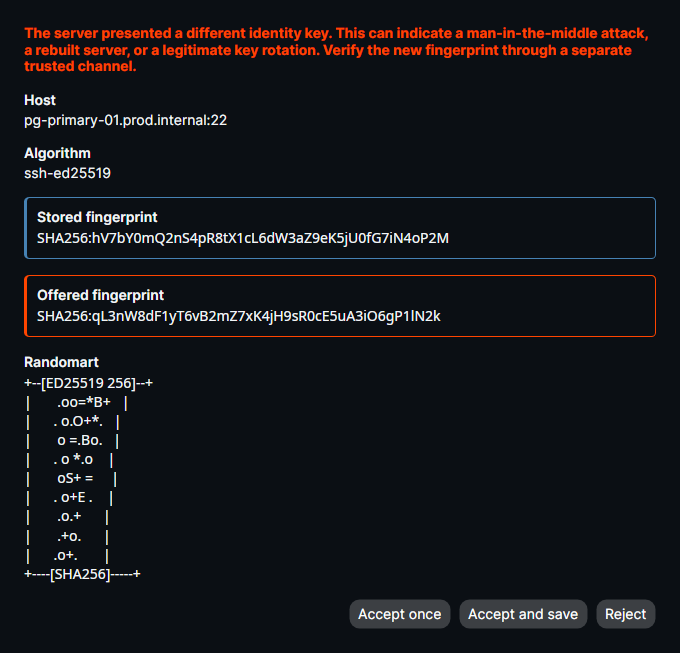
- Trust on first use (the default) shows the SHA-256 fingerprint and the randomart image, exactly as OpenSSH would, and remembers what you accept.
- Strict never prompts; the key must already be trusted.
- Accept any connects without verification and flags the connection as unverified — for throwaway lab machines, not a setting to leave on.
A key that changes is never accepted silently: RemoteFlow shows the stored fingerprint next to the presented one and makes you choose. A key marked revoked refuses the connection outright. Comparison is constant-time.
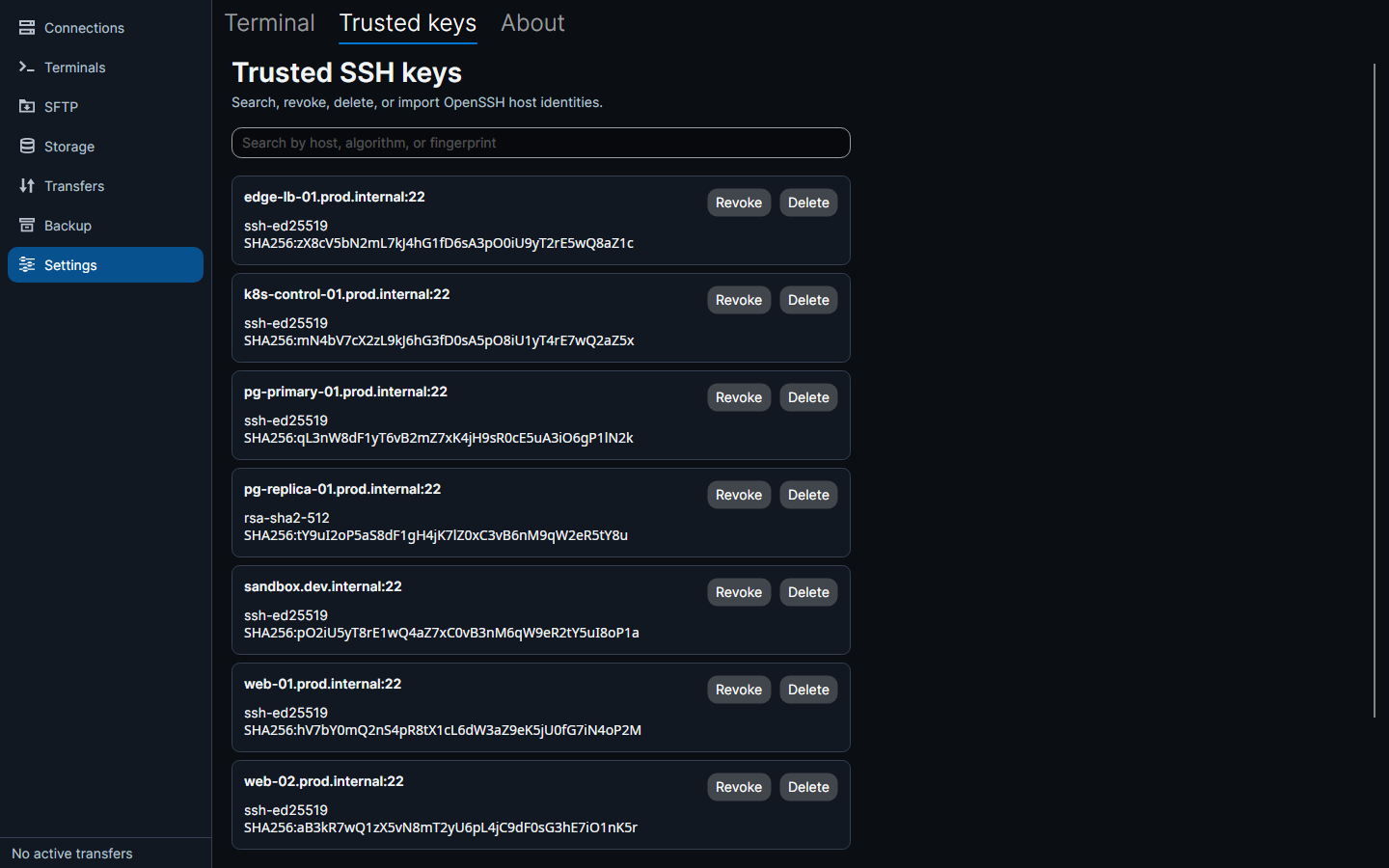
known_hosts files, including hashed hostnames, can be imported.Where files live
| Windows | macOS | Linux | |
|---|---|---|---|
Connections, folders, tags, settings, trusted host keys (remoteflow.db) | %APPDATA%\RemoteFlow | ~/Library/Application Support/RemoteFlow | $XDG_DATA_HOME/remoteflow |
Credential fallbacks (credential-fallback\, vault.rfv) | %APPDATA%\RemoteFlow | ~/Library/Application Support/RemoteFlow | $XDG_CONFIG_HOME/remoteflow |
| Logs | %LOCALAPPDATA%\RemoteFlow\Logs | ~/Library/Logs/RemoteFlow | $XDG_STATE_HOME/remoteflow/logs |
Scratch files (remote edits, .rdp handover) | %LOCALAPPDATA%\RemoteFlow\Cache | ~/Library/Caches/RemoteFlow | $XDG_CACHE_HOME/remoteflow |
The database is a plain SQLite file holding connection metadata, usernames, notes and references to credentials — never a credential itself.
Honest caveats this site will not hide
- Releases are not code-signed yet
On Windows or Linux. Windows shows a SmartScreen warning; verify against
checksums.txt. - There is no apt repository
The
.debis a file you download. - Verifying against
checksums.txtproves the download arrived intact, not who built itThe real guarantee is the HTTPS connection to
github.com.